Go-Go Town!
Go-Go Town! corrupted save on Switch: how to recover your town
Why Switch saves break the way they do#
Understanding this makes the recovery steps make sense — and stops you doing the thing that destroys your last good copy.
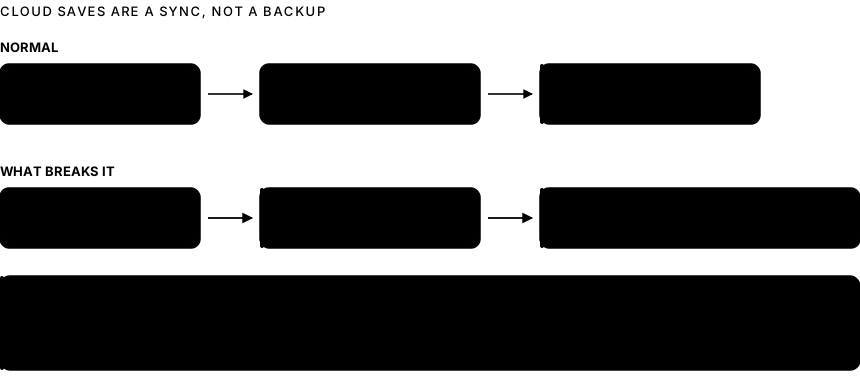
Nintendo Switch Online cloud saves are a sync, not a version history. The console uploads your save when the game closes or the console suspends properly, and downloads it when it detects the cloud copy is newer. There is no "restore from three days ago" — there is one cloud copy, and it gets replaced.
That produces two failure modes:
Interrupted write. If the console loses power, or the game crashes, while the save is being written, the local file is left incomplete. The game then refuses to load it, or loads it in a broken state.
Bad reconciliation. If the local and cloud copies disagree, the console picks one. If it picks the local corrupt one and syncs it up, your good cloud copy is gone — which is why launching the game again before you have thought about it is genuinely dangerous.
Step 1 — Take the console offline#
Before anything else, stop the sync from happening.
- Put the console in Airplane Mode (Home → System Settings → Airplane Mode, or hold the Home button for the quick menu).
- Confirm Wi-Fi is off.
Now nothing can upload over your cloud copy while you investigate.
Step 2 — Check what state each copy is in#
- System Settings → Data Management → Save Data Cloud.
- Find Go-Go Town! and look at the date and time of the cloud save.
- Compare that against when your town was last definitely working.
- Cloud save is from before the problem — good. That is your recovery, and Step 3 is your route back to it.
- Cloud save is from after the problem — the bad state has already synced. Go to Step 5.
- No cloud save exists — cloud saves were never enabled for this game. Go to Step 4.
Step 3 — Download the cloud save over the local one#
With the cloud copy confirmed good:
- Turn Wi-Fi back on but do not launch the game.
- System Settings → Data Management → Save Data Cloud → Go-Go Town!.
- Choose Download Save Data for your user.
- Confirm the overwrite of the local data.
- Launch the game and check your town before doing anything else.
If it loads correctly, save manually once, exit to the Home menu properly, and let it sync back up cleanly.
Step 4 — When there is no cloud save#
Options are narrower, but not zero.
Check every user profile on the console. If more than one profile exists, the save may be attached to a different one than you expect. Data Management → Manage Save Data shows every profile's saves for the game.
Check the game's own in-game saves. Some titles keep multiple internal save slots or an autosave separate from your manual save. If Go-Go Town! offers a slot selection screen, look for an older one before doing anything destructive.
Do not delete save data yet. Deleting is irreversible on Switch and there is no undo. It is the last step, not an early one.
Check for a second console. If you have ever played on another Switch with the same account, that console may hold an older local copy.
Step 5 — When the bad state already synced#
This is the difficult case, and it is worth being honest: if the corrupt save has overwritten the cloud copy and there is no other copy anywhere, the town is usually not recoverable by you.
What is still worth doing:
- Contact Nintendo support. They cannot generally restore individual saves, but reporting it matters, and there are occasional exceptions worth asking about.
- Contact the developer. If the corruption was caused by a game bug — a crash during save, a patch-day issue — the developer wants to know, and a detailed report from you is what gets it fixed for everyone else.
- Check whether the game has a repair path. Some titles detect a damaged save and offer to roll back to an internal backup on next launch. If you get such a prompt, take it.
Step 6 — Reinstalling, safely#
Reinstalling the software is a reasonable troubleshooting step because save data is stored separately on Switch and is not removed when you delete the software.
- Confirm the save is visible under Data Management → Manage Save Data before you delete anything.
- Home → highlight the game → Options → Manage Software → Delete Software.
- Re-download it from your library.
- Launch and check.
The one thing to never do: use "Delete Save Data". That is genuinely permanent.
Preventing this from happening again#
Six habits. The first two prevent nearly everything.
- Exit to the Home menu before sleeping the console. That triggers a clean sync while the save is in a known-good state. Closing the lid mid-game does not.
- Close the game fully after long sessions rather than leaving it suspended for days.
- Keep Nintendo Switch Online active. Without it there is no cloud save at all, which removes your only recovery route.
- Do not play on low battery. A power loss mid-write is the classic cause.
- Use in-game manual saves if the game offers them, rather than relying on autosave alone.
- Update the game before long sessions, not after — patch-day saves written by a mismatched version are a recurring source of corruption.
FAQ#
Does deleting the game delete my Go-Go Town! save?#
No. On Switch, deleting software leaves save data in place — it is managed separately under System Settings → Data Management. That makes reinstalling a safe troubleshooting step, but confirm the save is listed there first.
Can Nintendo restore my save?#
Generally no. Cloud saves are a sync rather than a backup service with version history, and support cannot usually recover an overwritten save. It is still worth asking, and worth reporting if a game bug caused it.
Why did my progress roll back a few hours?#
That is the console loading an older cloud copy over a newer local one, usually after a session that ended without a clean sync. It is the same mechanism as corruption, with a gentler outcome. The prevention is the same: exit to the Home menu before sleeping.
Does this affect the PC version too?#
The PC version stores saves on your own drive, which means you can copy the save folder yourself and keep as many dated backups as you like. That option simply does not exist on Switch, which is why the Switch guidance is so much more cautious.
Should I turn off cloud saves to be safe?#
No — that removes your only recovery route. The risk is not the cloud sync; it is syncing a bad state upward. Airplane Mode the moment something goes wrong gives you the control you need without giving up the safety net.
More help: visit the Go-Go Town! guide hub for every published guide in this series.